AI adoption is accelerating faster than businesses can translate it into actual value. McKinsey’s 2025 State of AI research found that 88% of organizations now report regular AI use in at least one business function, up from 78% a year earlier. But widespread adoption is not the same thing as measurable impact. Meanwhile, PwC found that 88% of executives plan to increase AI-related budgets because of agentic AI, while 79% report AI agents are already being adopted, and 66% of adopters see productivity gains.
The gap between adoption and impact reveals a fundamental problem: most organizations are asking the wrong question. The question isn’t “How do we use an AI agent?” It’s “What’s the right level of automation for this process?”
This article helps you choose between a simple workflow, an embedded-AI workflow, a true AI agent, or neither, if your process is still broken.
The Short Answer: Most Businesses Should Start with Workflow Automation First
Most business processes don’t need autonomy. They need reliability.
If the process is repetitive, rules-based, and predictable, a workflow is usually the better first move. Agents earn their value when the path changes case by case, inputs are messy, and the system must reason across tools or decisions. Salesforce explicitly notes that not every workflow benefits from AI automation and not every agent delivers meaningful ROI.
The default should be workflow automation unless you have a specific reason to add adaptive capability. That reason needs to be grounded in actual process complexity, not vendor promises.
What Is the Real Difference Between a Workflow and an AI Agent?
What a Simple Automation Workflow Is
A workflow executes predefined steps triggered by specific conditions. It follows deterministic logic, meaning the same input always produces the same output. Workflows are easier to test, audit, and maintain because their behavior is fully mapped in advance.
Think of it like a train on fixed tracks. The route is clear, the stops are known, and deviations trigger immediate alerts.
What an AI Agent Is

An AI agent is goal-driven rather than strictly sequence-driven. It can plan, reason, choose actions, and use tools to achieve an objective. Agents are better suited to variable, ambiguous, multi-step tasks where the exact sequence of actions can’t be predetermined.
AWS describes agentic AI as autonomous systems that can act independently to achieve pre-determined goals, whereas traditional software follows predefined rules. Microsoft’s agent adoption guidance similarly treats agents as a distinct category, introducing unique governance, architecture, and operating-model decisions.
Why the Distinction Matters
Workflows optimize execution. Agents optimize adaptation.
As autonomy increases, oversight and governance requirements rise as well. Workflows break predictably when a rule or integration fails. Agents can make contextual mistakes that look plausible but require different monitoring and supervision approaches.
Choosing the wrong tool means either overbuilding for a simple process or underbuilding for a complex one. Both waste money.
Why This Topic Is So Confusing Right Now
Vendor marketing often blurs the line between workflows, copilots, and agents. Many products marketed as “agents” are really workflows with an LLM step attached. Businesses end up evaluating labels instead of actual capabilities.
Gartner has warned about “agent washing,” noting that many so-called agent projects are being overhyped or mislabeled. Gartner predicts that over 40% of agentic AI projects will be canceled by the end of 2027 due to escalating costs, unclear business value, or inadequate controls.
At the same time, Gartner says 33% of enterprise software applications will include agentic AI by 2028, up from less than 1% in 2024. The technology is real and growing fast, but the hype cycle is creating confusion about when it’s actually necessary.
The 7 Questions That Decide Which One You Need
Is the Process Already Clear and Repeatable?
If the process changes depending on who does it, fix the process first. Automating inconsistency just scales confusion. Document the current state, identify variations, and standardize before you automate anything.
Are the Rules Stable, or Do People Make Judgment Calls Constantly?
Stable rules point to workflows. Frequent judgment calls point to AI assistance or agents.
If your team is constantly evaluating context, weighing trade-offs, or making case-by-case decisions, that is a strong signal you may need AI assistance or an agent layer rather than fixed-rule automation.
Are the Inputs Structured or Unstructured?
Structured forms and database fields fit workflows perfectly. Emails, PDFs, transcripts, chat histories, and mixed context may justify AI reasoning. If your inputs arrive in predictable formats, automation handles them well. If they’re messy and variable, you might need interpretation capability.
Are Exceptions Rare or Common?
Rare exceptions support workflows with human escalation paths. Frequent exceptions can justify AI layers that handle variability without breaking the process. If your team spends most of its time dealing with edge cases, that’s a signal.
What Happens If the System Gets It Wrong?
High-risk areas need human checkpoints, auditability, and rollback. Microsoft’s transparency note for the Azure Agent Service states that AI responses may be inaccurate and that actions should be monitored with human oversight. If an error causes financial loss, compliance risk, or customer harm, you need tight supervision, regardless of the technology you use.
Do You Need Autonomy, or Just Speed?
Many businesses don’t need a system that decides. They need a system that executes faster and more reliably. Speed comes from removing manual handoffs and reducing approval loops, which workflows handle well. Autonomy is only valuable when the decision itself requires adaptive reasoning.
Can Success Be Measured Clearly?
If you can’t define accuracy, cycle time, escalation rate, cost savings, or throughput improvements, you’re not ready to scale. McKinsey’s survey found that organizations with stronger management practices around AI are more likely to capture value. Measurement isn’t a nice-to-have; it’s the foundation of proving ROI.
When a Simple Workflow Is the Better Choice
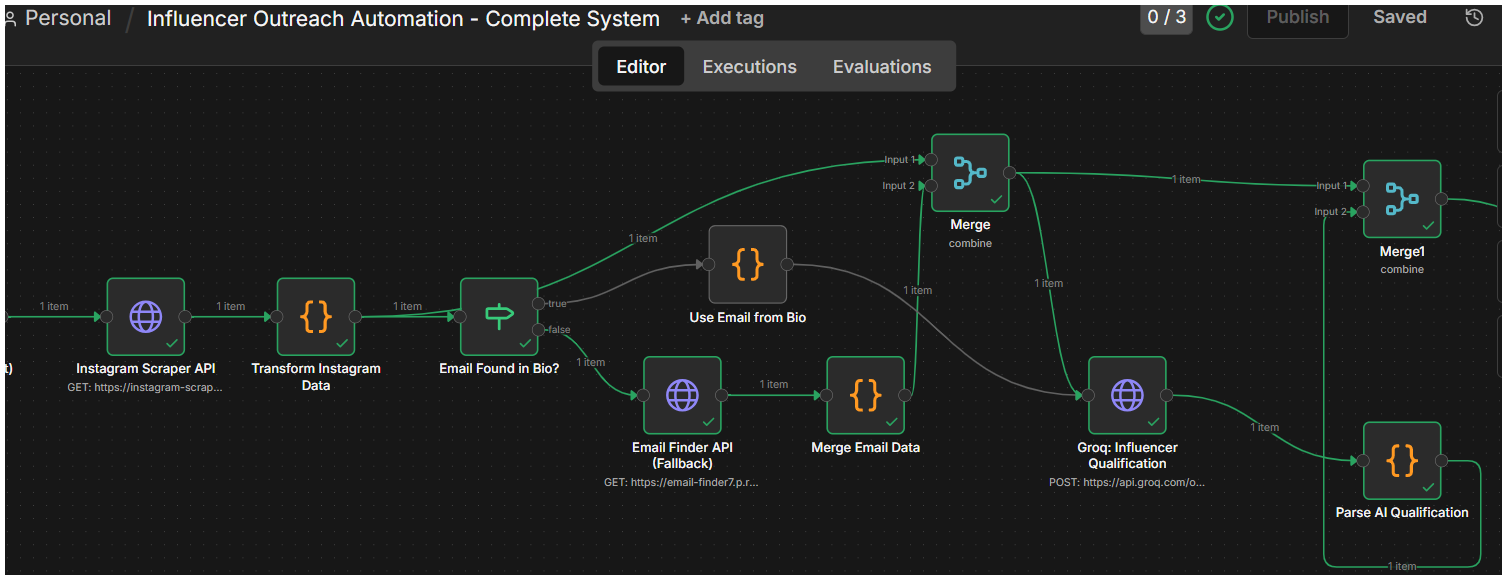
Workflows excel when you have fixed inputs, stable decision criteria, repetitive high-volume tasks, low ambiguity, strong compliance requirements, or a business need for low-cost reliability.
Common use cases include lead routing, invoice reminders, onboarding steps, CRM updates, approval routing, and status notifications. These processes don’t benefit from adaptive capability because the rules are clear and consistent.
Use this rule: If you can draw the process cleanly as a flowchart with clear decision points, start with a workflow.
When an AI Agent Actually Adds Value
Agents add value when inputs vary widely, context matters from case to case, the system must reason across multiple steps, exceptions are common, the process spans tools and data sources, or humans currently investigate and coordinate rather than just execute.
Examples include support case triage with messy context, research-heavy back-office exception handling, supply chain disruption handling, multi-system issue resolution, and customer operations where no two cases look exactly the same.
This aligns with AWS’s agentic patterns guidance and Microsoft’s planning guidance for agent use cases, which focus on dynamic, tool-using, multi-step behaviors rather than static process execution.
How Workflows and Agents Fail Differently
How Workflows Fail
Workflows fail visibly and predictably. They break because a rule, trigger, or integration stopped working. The failure is usually obvious, and the fix is usually straightforward: update the rule, fix the connection, or adjust the logic.
How Agents Fail
Agents fail plausibly and contextually. They can make mistakes that look reasonable at first but reveal poor judgment upon review. Microsoft’s responsible AI guidance for agents emphasizes accountability, transparency, and practical governance precisely because agent failures require different oversight than workflow failures.
Agents need monitoring, supervision, and guardrails, not just rule debugging. Even when they perform well overall, the mistakes they make can be more contextual, less predictable, and harder to catch through traditional workflow testing.
The Hidden Costs Businesses Underestimate
Integration Complexity
Connecting systems cleanly is often harder than the model itself. Agents often need permissioned access to CRM, ITSM, ERP, and other business systems. Without reliable integrations and clear access controls, they are more likely to stall, hand work back to humans, or produce brittle results that are hard to trust at scale.
Monitoring and Evaluation
Agents need testing beyond “did it run?” You need quality checks, failure review, and policy validation. Traditional automation can run for months with basic health checks. Agents require ongoing evaluation of decision quality.
Governance and Security
Tool access, permissions, audit logs, and data boundaries matter more when systems act rather than just suggest. NIST’s AI Agent Standards Initiative and Microsoft’s governance guidance for AI agents both emphasize secure deployment and controlled access.
Human Review and Exception Handling
The more important the action, the more valuable supervised checkpoints become. Full autonomy sounds appealing until an agent misinterprets context and creates customer impact.
Ongoing Optimization
Prompts, tools, retrieval sources, policies, and thresholds all need iteration. Agents don’t deploy once and run forever. They require continuous improvement based on actual performance.
The Right Answer May Be Neither
Sometimes the right answer is fixing the process before automating anything.
If the process is undocumented, decision criteria are inconsistent, source data is unreliable, teams disagree on what “done right” means, or the workflow is messy because the operation itself is messy, automation won’t help.
Do not automate confusion. Fix the process first.
This is the most honest answer and the one most vendor-led content avoids. A broken process, automated or not, is still a broken process, just faster and harder to fix.
Use AI Inside a Workflow Before Deploying a Full Agent
Most businesses don’t need to choose between workflows and agents. They need a layered approach.
Start by standardizing the process. Automate the predictable sequence using workflow automation. Add AI to one fuzzy step, such as classification, summarization, or extraction. Only then consider an agent for dynamic coordination or exception handling.
This layered path is consistent with how AWS and Microsoft present agent patterns and adoption planning. Not every use case starts with a fully autonomous multi-agent design. Most successful implementations begin with structured workflows and add adaptive capability where it’s actually needed.
A Practical Decision Matrix
Here’s a quick reference for choosing your approach:
Fixed process + structured inputs + low ambiguity = workflow
Fixed process + one or two fuzzy steps = workflow with AI assistance
Variable process + unstructured inputs + many exceptions = AI agent
Unclear process + unreliable data + unclear ownership = redesign first
Common Mistakes That Kill Implementation
Using an Agent Where Rules Would Work
If your process can be mapped as clear rules, an agent adds cost without adding value. Workflows are cheaper, more predictable, and easier to maintain for deterministic tasks.
Starting with Autonomy Before Establishing Oversight
Fully autonomous deployment remains limited. A January 2026 Dynatrace report found that only 13% of organizations rely on fully autonomous agents, while most use some form of human supervision or mixed oversight. Gartner reported a similar pattern in September 2025, finding that only 15% of IT application leaders were considering, piloting, or deploying fully autonomous AI agents. Start with high supervision and reduce checkpoints only as reliability proves out in lower-risk tasks.
Ignoring Data and Integration Quality
Agents built on messy data and fragile integrations fail in production. Clean data and stable API access matter more than model selection.
Underestimating Monitoring and Maintenance
Workflows run with basic health checks. Agents need continuous quality evaluation, policy updates, and performance tuning. Budget for ongoing work, not just deployment.
Treating Agents as Plug-and-Play Replacements
Organizations that drop in agents without redesigning workflows, decision handoffs, and exception handling see surface automation with no change in outcomes. Process redesign is part of the work, not optional.
Measuring Success Too Vaguely to Prove Value
Gartner’s warning that many agentic AI projects will be canceled because of cost, unclear business value, or inadequate controls directly supports this point. If you can’t measure impact clearly, you can’t prove ROI or justify expansion.
Frequently Asked Questions
What is the difference between an AI agent and workflow automation?
Workflow automation executes predefined steps based on fixed rules and triggers. AI agents use reasoning and tool access to adaptively achieve goals, making decisions based on context rather than following predetermined logic.
Do small businesses really need AI agents?
Most small businesses benefit more from workflow automation first. Agents require governance, monitoring, and integration complexity that only makes sense when processes genuinely need adaptive decision-making across variable inputs.
Is an AI agent more expensive than workflow automation?
Yes. Agents require more complex integration, ongoing monitoring, quality evaluation, and governance infrastructure. Implementation costs are typically higher, and maintenance is more involved than traditional workflow automation.
Can I combine AI agents with workflow automation?
Yes, and this is often the best approach. Use workflows for predictable sequences and add AI capability to specific steps that need classification, summarization, or interpretation. Reserve full agents for processes that require dynamic coordination.
When should a business avoid using AI agents?
Avoid agents when the process is unclear or inconsistent, when rules are stable and deterministic, when inputs are structured and predictable, or when you can’t clearly measure success and define acceptable error rates.
What is the safest way to start using AI in operations?
Start with workflow automation to standardize processes. Add AI to one fuzzy step, like email classification or document extraction. Measure results clearly. Only expand to agent-based approaches when you have proven value and established governance.
Are most AI agents just advanced workflows?
Yes, many products marketed as “agents” are workflows with embedded LLM steps. Gartner has warned about “agent washing,” where vendors rebrand traditional automation. Evaluate actual capabilities rather than marketing labels.